
Integrations
The accountability layer on top of Google Calendar
Google Calendar stays the source of truth. Calfolio adds the weekly loop on top—goals per category, drift tracking, and a Friday digest—without asking you to migrate or manage a second calendar.
No migration. No auto-scheduling. Just the plan vs reality view your calendar never had.
Core connections
Each integration answers what it connects to, why it matters, how it cuts friction, and what you get on a Tuesday—not a slide deck.
Google Calendar stays the record of what happened
Calfolio reads the calendars you choose and stays in sync. Scheduling, invites, and changes still happen in Google. Calfolio only interprets what’s there—so the week you planned can be compared to the week you got.
- Pick which calendars are in scope so drift numbers reflect what you’re willing to own.
- Recurring events and edits flow through automatically—no parallel calendar to maintain.
- Uncategorized events surface in one place so unknown time doesn’t quietly skew your plan vs actual.
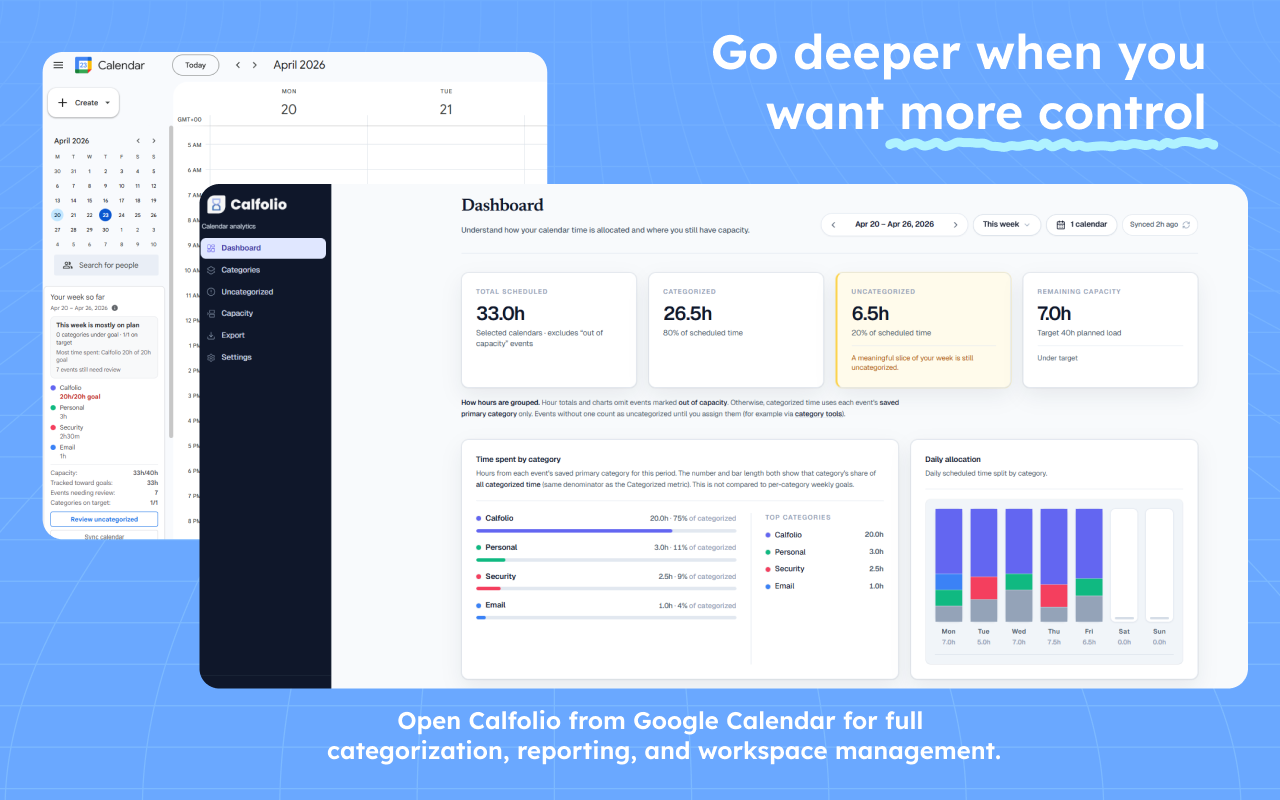
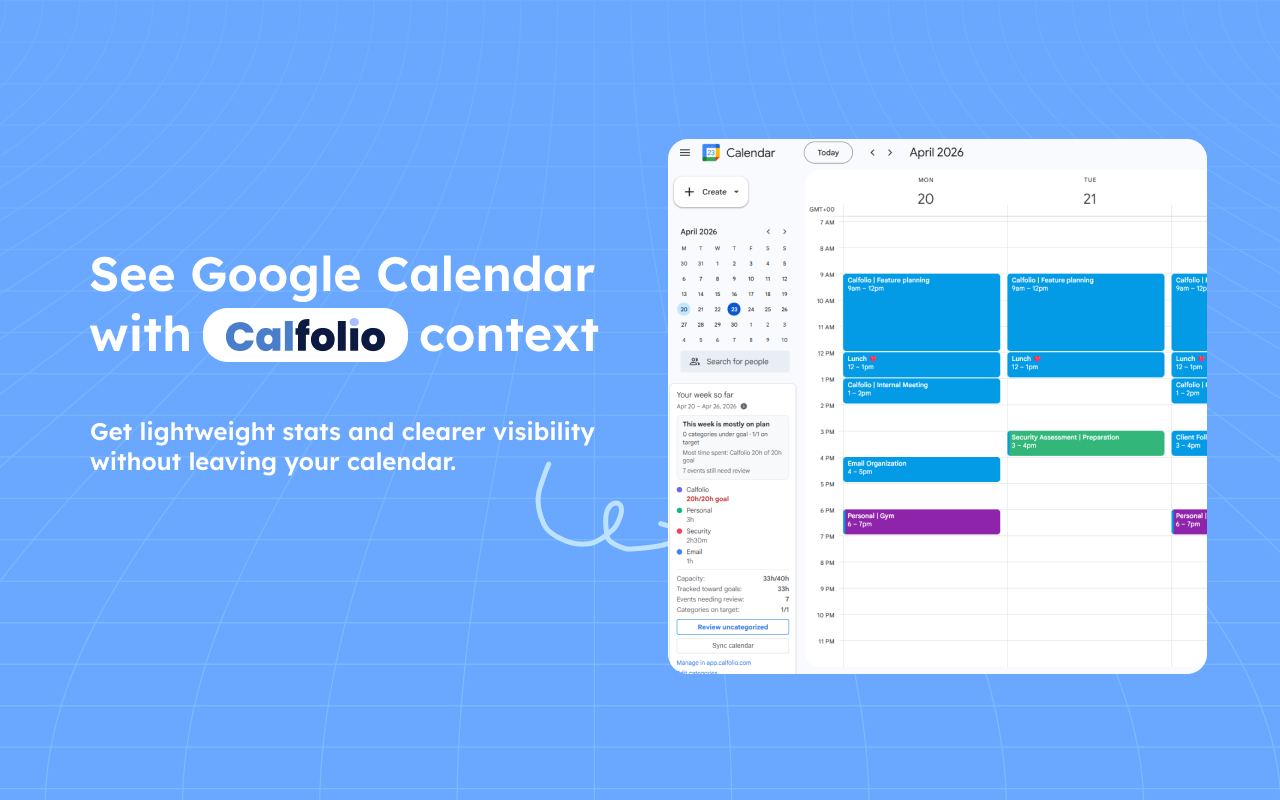
Chrome extension — see drift without switching tabs
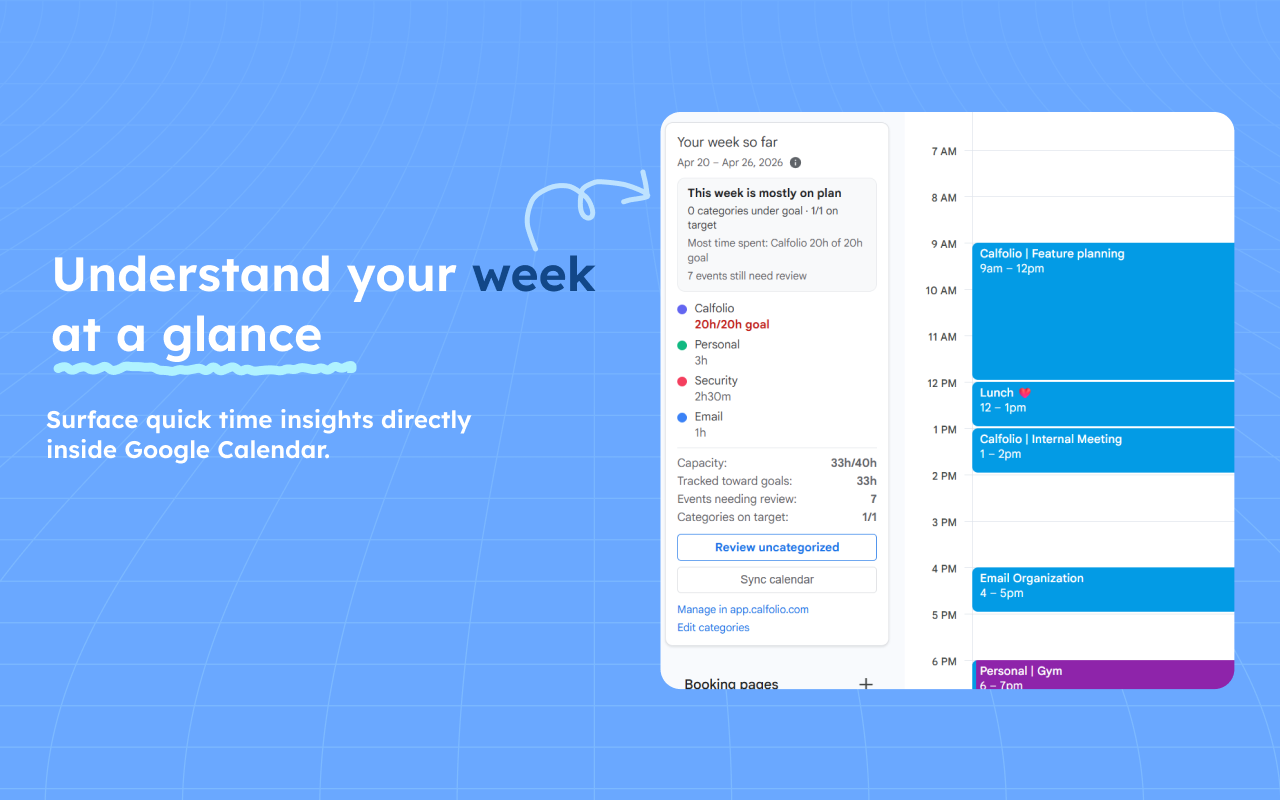
Open any event in Google Calendar and the extension shows its category plus one short line of weekly progress (e.g. “Building: 8h of 12h this week”). Enough to notice drift mid-week, not a second dashboard to manage.
- Glanceable category + goal-progress line on every event, no new tab required.
- Adjust categorization in place when a meeting was clearly the wrong bucket.
- Jump into uncategorized review when recurring titles stack up.
Built for the Google accounts teams already use
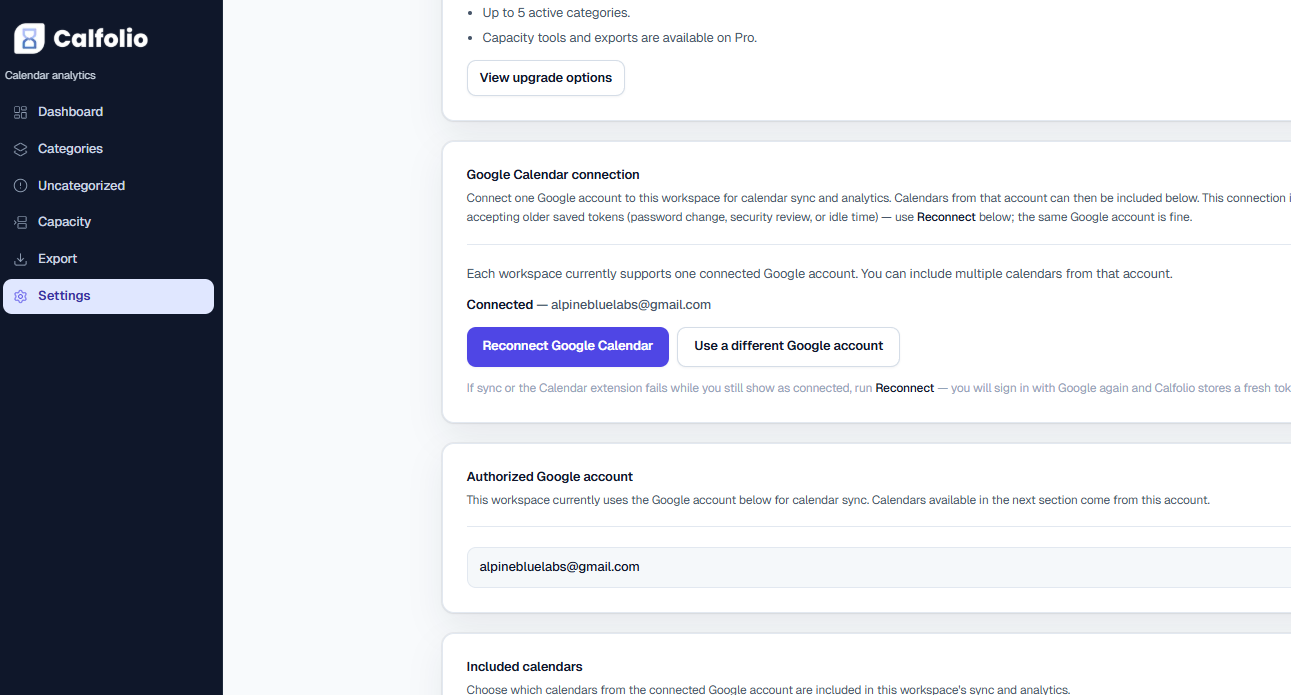
Same identities people sign into every day—no new login universe. Calfolio is scoped to calendar data needed for categorization and insights, not a replacement for Workspace admin or Drive.
- Workspace users connect with the same Google identity they use for Calendar and Gmail.
- Calendar selection keeps personal and work boundaries explicit for reporting.
- Marketplace-style distribution is on the roadmap where it reduces friction for IT-led rollouts.
How it fits together
From first connect to downstream reporting—one straight line, no duplicate scheduling product in the middle.
- 01
Connect Google Calendar
OAuth to the Google account you already use. Pick which calendars feed Calfolio.
- 02
Sync selected calendars
Only what you include ships into analytics—personal stays out if you want it to.
- 03
Categorize & apply patterns
Rules, bulk edits, and the extension keep new events aligned with your taxonomy.
- 04
Review uncategorized time
A dedicated queue so unknown blocks do not quietly distort the story.
- 05
Analyze workload & export
Dashboard and capacity read your categories; CSV (and Sheets where available) carry the same structure downstream.
Chrome extension
Quick actions where people already live—in Calendar
The web app is where dashboards, capacity, and exports breathe. The extension is for the small, frequent moves that only stick if they are one glance away from the event itself.
- Categorize an event from the calendar surface
- Include or exclude blocks from analytics when scope should change
- Jump to related insights or uncategorized review in fewer clicks
- Clear recurring “almost the same title” patterns faster with context on screen
Same Google account. Clear scope. You stay in control.
Calfolio fits into how people already authenticate with Google. It reads calendar data needed to categorize and report—not a second scheduling system, not a shadow copy of your whole life.
- Selected calendars stay the source of truth. What you exclude does not silently appear in analytics.
- Scope is explicit. Calfolio works from what you connect and include—useful for mixed personal/work Google accounts.
- Workspace-friendly rollout is a direction, not a promise on this page: we are designing for the accounts and admin patterns teams already have.
After categories are clean, exports finally behave
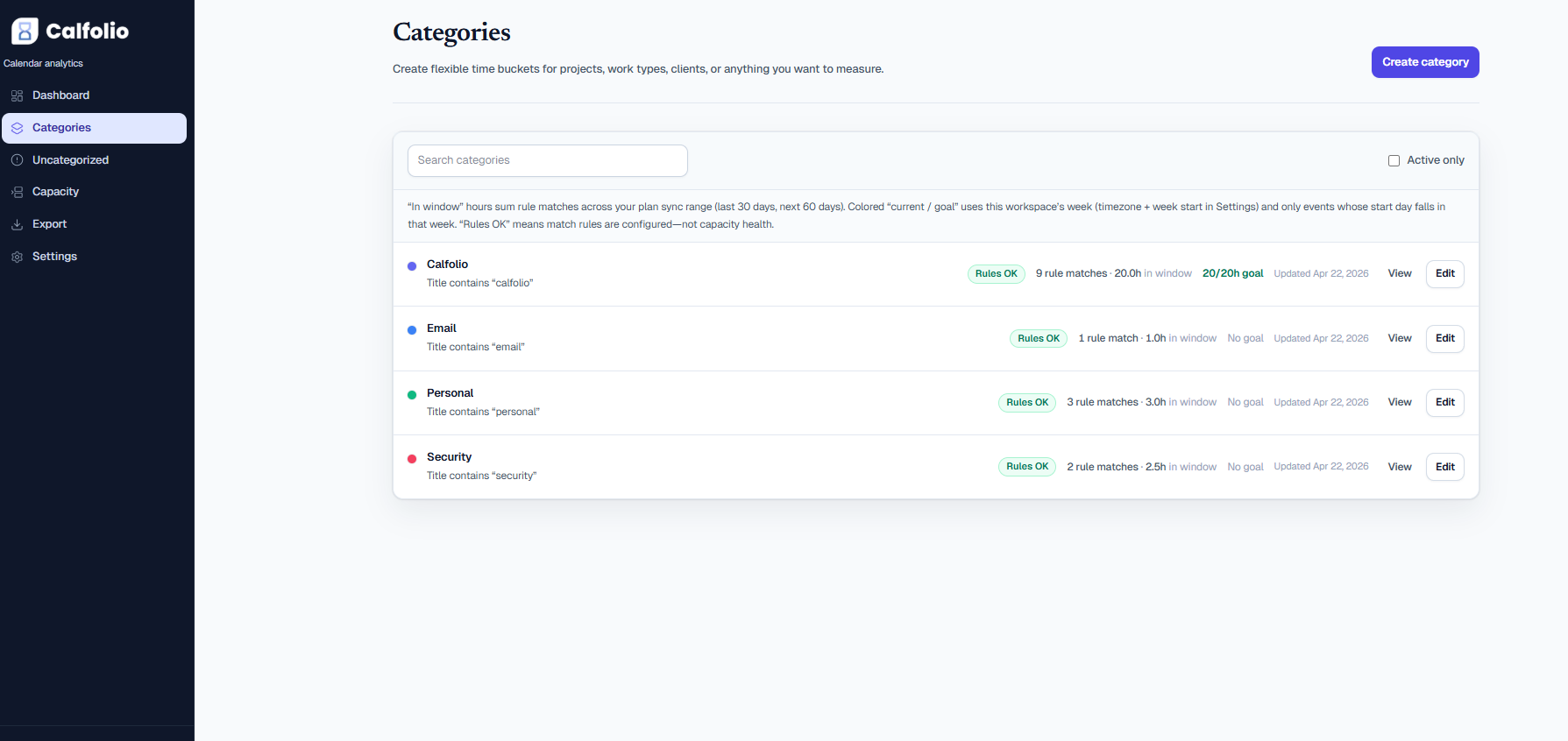
Invoicing, weekly reviews, and leadership readouts break when the calendar story and the spreadsheet disagree. Calfolio makes the calendar the place you fix categories once—then CSV or Sheets carry the same structure.
- Event-level rows with category labels you defined—not guessed in a pivot table.
- Hand off a week or a range without rebuilding tags in Excel every Sunday.
- Sheets-friendly flows where the product supports them; CSV everywhere else.
Example export preview
| Start | Title | Category |
|---|---|---|
| Apr 14 10:00 | Design review | Product |
| Apr 14 14:00 | Client QBR | Client work |
| Apr 15 09:00 | Weekly sync | Uncategorized |
Illustrative table—column set in the live product may vary by plan and export type.
What we support today — and what we are exploring
Credible products say what ships now and what is still forming. Dates ship with the changelog; this section is the intent, not a press release.
Today
- Google Calendar OAuth + selectable calendars
- Web app: categories, uncategorized review, dashboard, capacity, CSV export
- Chrome extension for in-calendar actions (availability varies by release channel)
Exploring
- Deeper Google Workspace / Marketplace packaging for team rollout
- Richer extension shortcuts and surface coverage inside Calendar
- Additional export destinations and scheduled sheet pushes
- Admin-friendly defaults for shared taxonomies (early thinking—not a commitment)
Ordering and delivery depend on customer demand and engineering capacity—ask inside the product if you need something specific for rollout.
Ready to connect the calendar you already use?
Google Calendar stays your system of record. Calfolio adds the clarity—categories, cleanup, workload, and exports—without asking you to reschedule your life in a new tool.